Rack / Module 01 / Manual
Driftborn
Ships that channel the universe. A 2D space shooter with planar gameplay and angled 3D presentation.
- Stack
- TypeScript · Babylon.js · Vite · Supabase
- Line
- Product and platform
- Status
- In progress
- Link
- driftborn.space
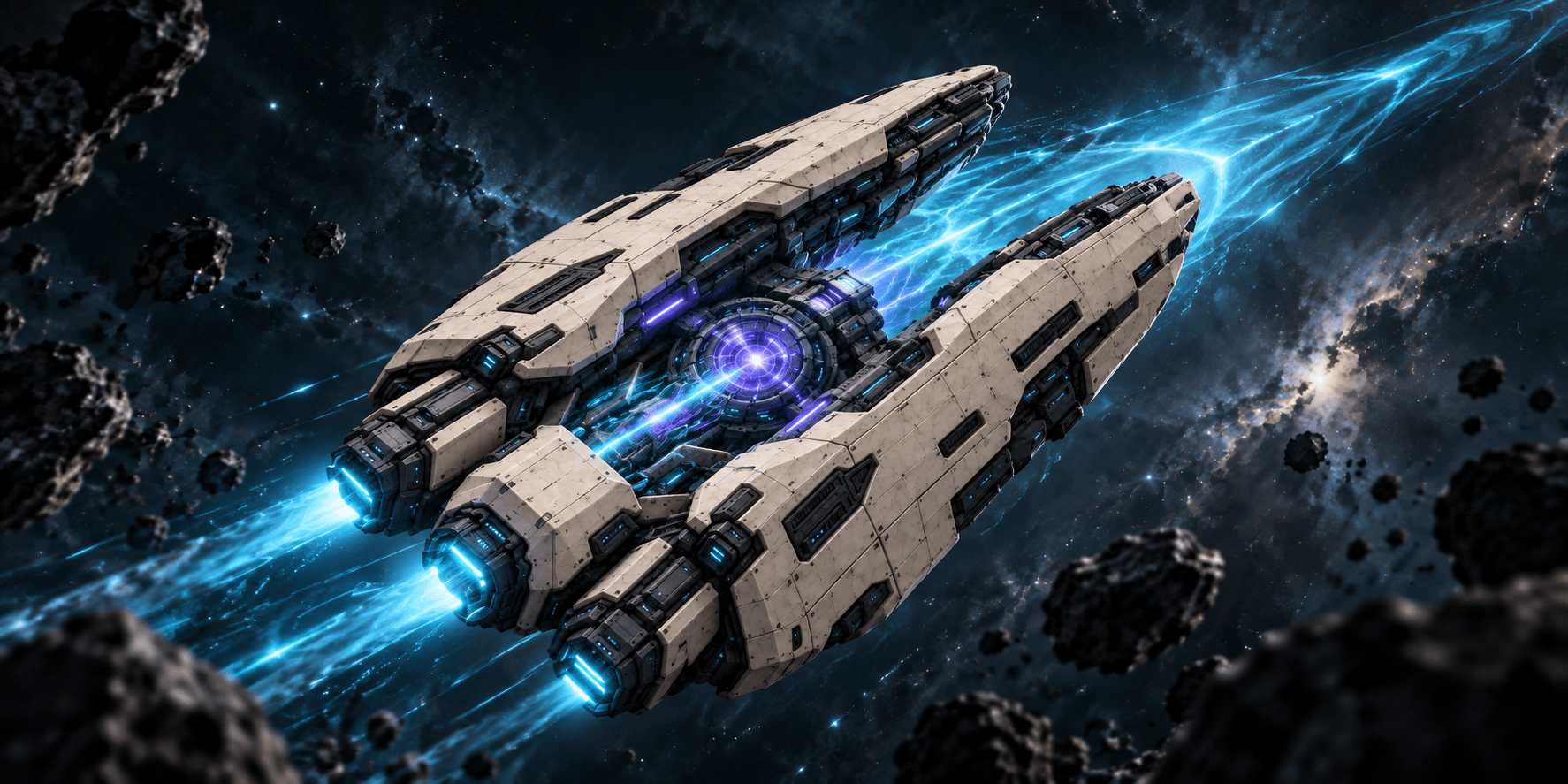
Scope 1 · Premise · Illustration
Concept illustration: an ivory hull channels a luminous current through its core. This sets the fiction and is not a gameplay capture.
Driftborn is a free single-player space shooter, live in the browser at driftborn.space and playable on desktop or by touch. Movement, contact and combat resolve on a 2D plane; an angled 3D view gives ships and effects their form. From the Hearth you depart into an open map of twenty-six sectors held by two factions, whose named bosses repeat their attacks in a fixed order, then return to refit and try another build. The Vigil, an arcade cabinet in the Hearth, adds a daily run and global leaderboards.
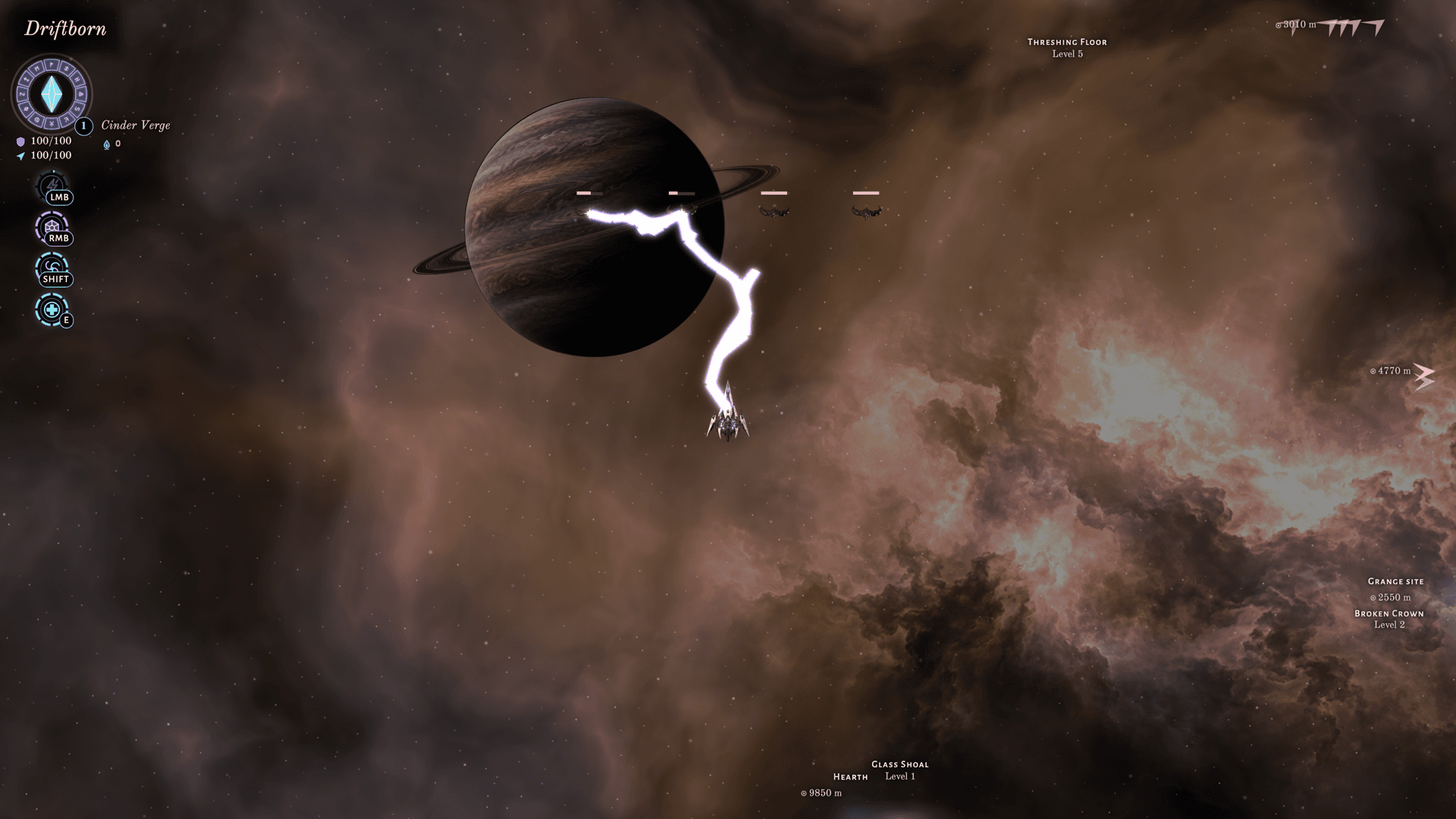
Capture · running game
Running combat in Cinder Verge: the Arc Projector’s discharge chains between Gleaners while the HUD shows the fitted weapon and the actions this build grants.
Magic takes the shape of hardware
Ships channel cosmic magic through fitted devices. That premise becomes a rule: a defensive Aegis Projector grants Ward, while a Shield Reclaimer grants Mend Shields and a Comet Crucible grants Comet.
The fiction does not add a mana meter. What you can do comes from the current ship build, so changing equipment changes the available inputs as well as the ship’s strengths.
Driftborn: from cosmic magic to a combat action
An explanation of the build rules, not a live simulation or a mana-resource system. Cosmic magic is the fiction; fitting an Aegis Projector is the implemented choice that grants Ward and gives it a visible combat cue.
1 · Source
Cosmic magic
In the fiction, ships channel cosmic magic. This is a story premise, not a simulated resource or meter.
Out2 · Fit
Fitted device
Fit an Aegis Projector in a defensive slot. Equipment is the concrete way this ship channels that premise.
InOut3 · Build
Ship build
The pure shipBuild rule reads fitted items and derives the active ship’s stats and available actions.
InOut4 · Act
Granted action
The Aegis Projector grants Ward. The HUD shows it, and combat accepts the input only when the build grants it.
InOut5 · See
Visible effect
Activating Ward produces a forward defensive arc. Simulation state and events become a readable visual cue around the ship.
In
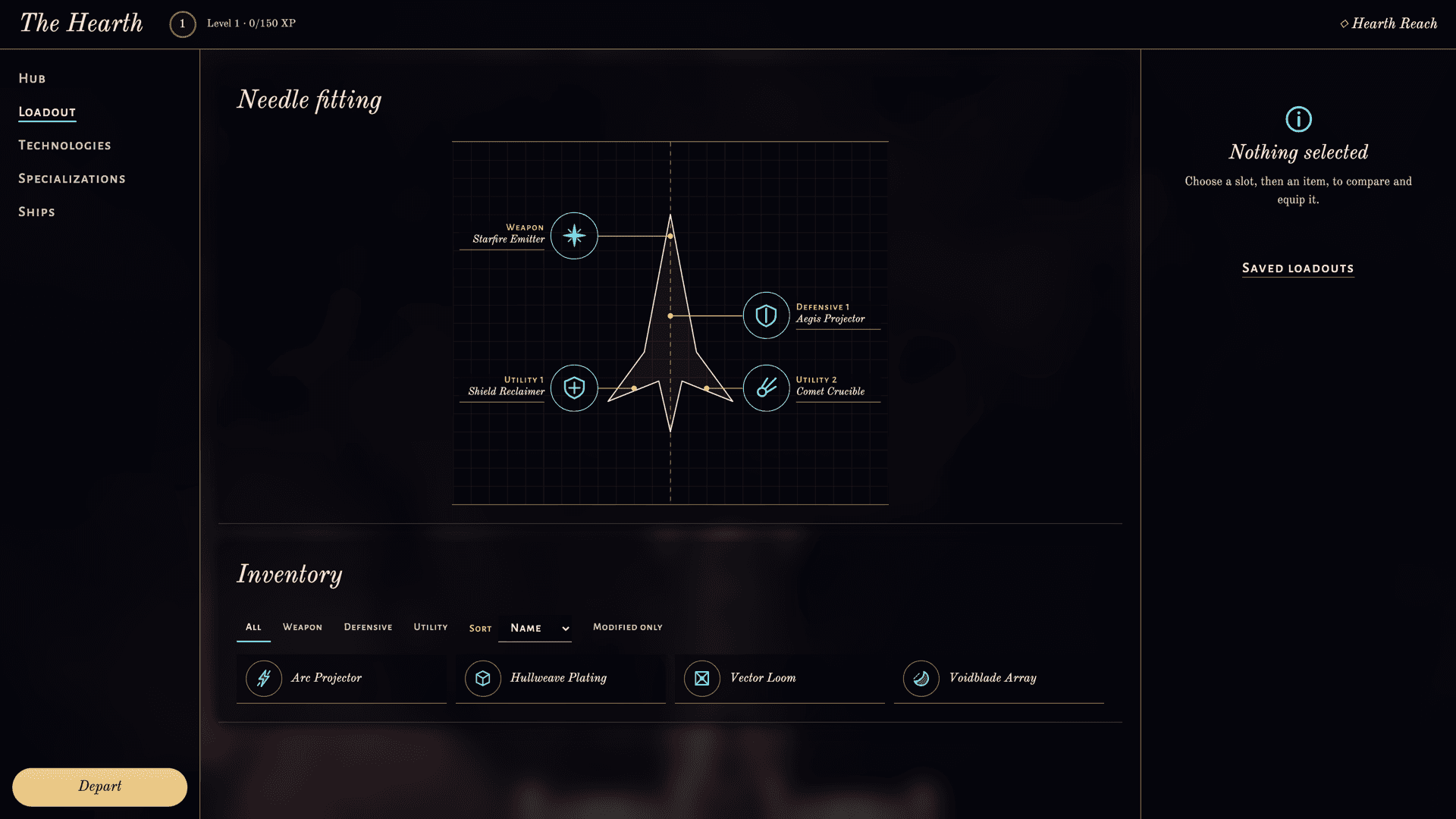
Capture · running game
Needle fitting: each slot is drawn on the hull, and the inventory below holds the Arc Projector and other designs to compare and equip.
A different fit is a different move set
At the Hearth, Loadout draws the Needle’s four slots on its hull: a Starfire Emitter, an Aegis Projector, a Shield Reclaimer and a Comet Crucible, with an Arc Projector waiting in inventory. Choosing a slot and then an item compares the two before the change is equipped.
Equipment copies move between inventory and owned ships. Each ship keeps its own fitted loadout, and shipBuild derives weapon, granted actions, defenses and movement from that fit plus learned technologies. The immediate tradeoff is legible: a swap can add an action, change a weapon or leave another ship without its only weapon.
Capture · running game
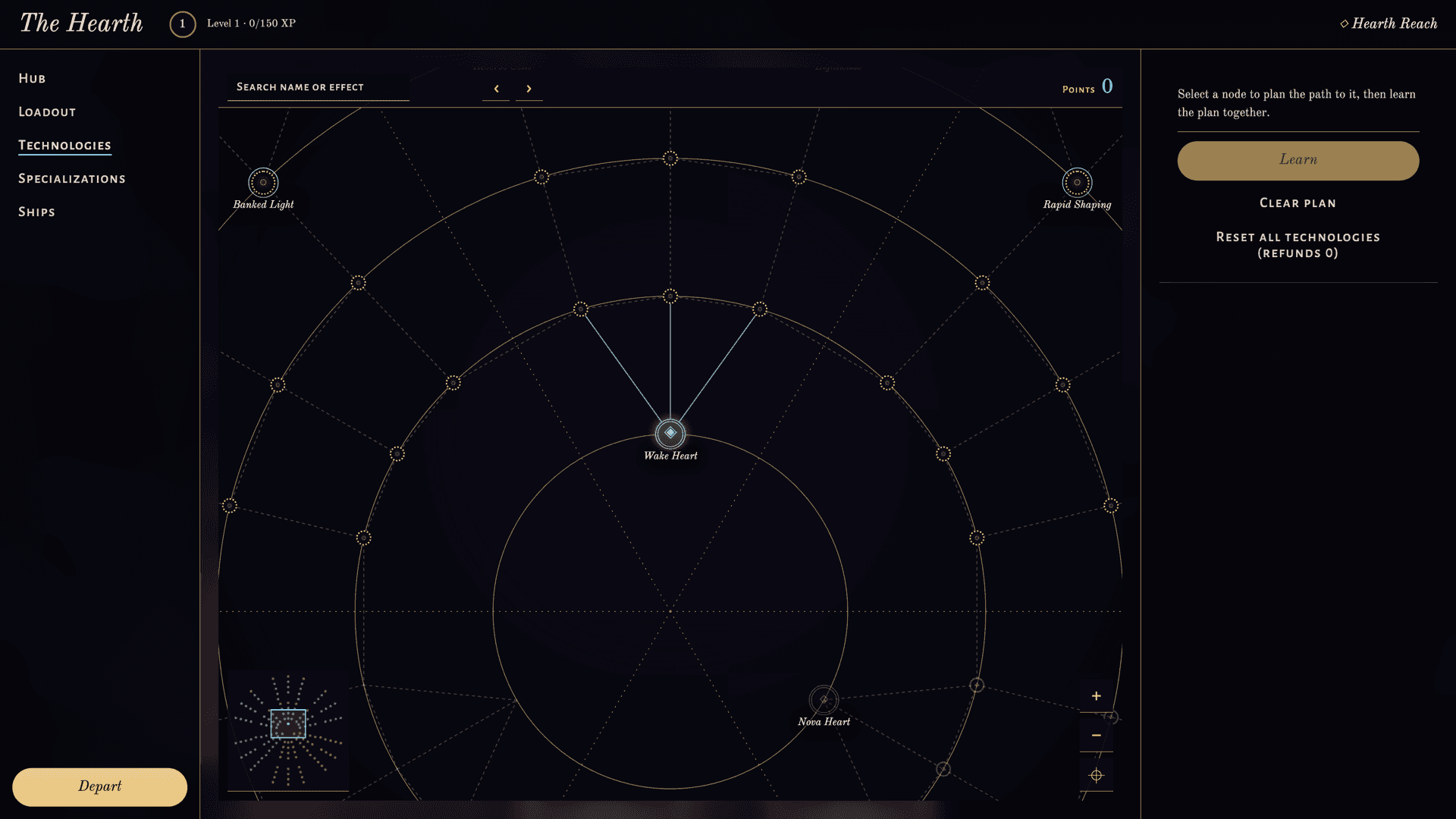
Technologies: a new captain’s Needle starts from Wake Heart with no points. Its lanes open outward through rings of minor and notable nodes.
A technology web with a narrow promise
Each ship allocates its own nodes in a radial web of 153 technologies across six school wedges; class wedges open only to their hull class. Most nodes only change numbers. Keystones are the exception: each is a passive change with a downside, and none grants a new action, binding or HUD slot. A ship’s reset refunds its whole allocation.
The capture shows a new captain’s Needle: no points, and the web open from Wake Heart. Selecting a node plans the path to it, and Learn commits the plan together. Points come from captain levels and first defeats of named enemies, and those defeats also unlock keystones.
The HUD reflects the ship you built
The flight rail shows the fitted weapon, the hull ability and only the actions this build grants. Its seal shows integrity and shields; an experience arc now shows progress toward the next captain level. Action tiles show bindings, readiness, cooldown and active Ward state.
Combat can be busy without making the controls a memory test. A refit changes the rail as well as the rules, so the available choices stay visible during flight.
Rules first, visible effects second
stepCombat advances positions, abilities, projectiles and hits as pure simulation data. It returns state and events; the presentation layer turns those outcomes into shots, impact cues and Ward’s forward arc in the angled scene.
That boundary keeps the 2D combat rules independent of the 3D camera. The tradeoff is a deliberate translation step: every important event needs a cue that can be read while ships move through the scene.
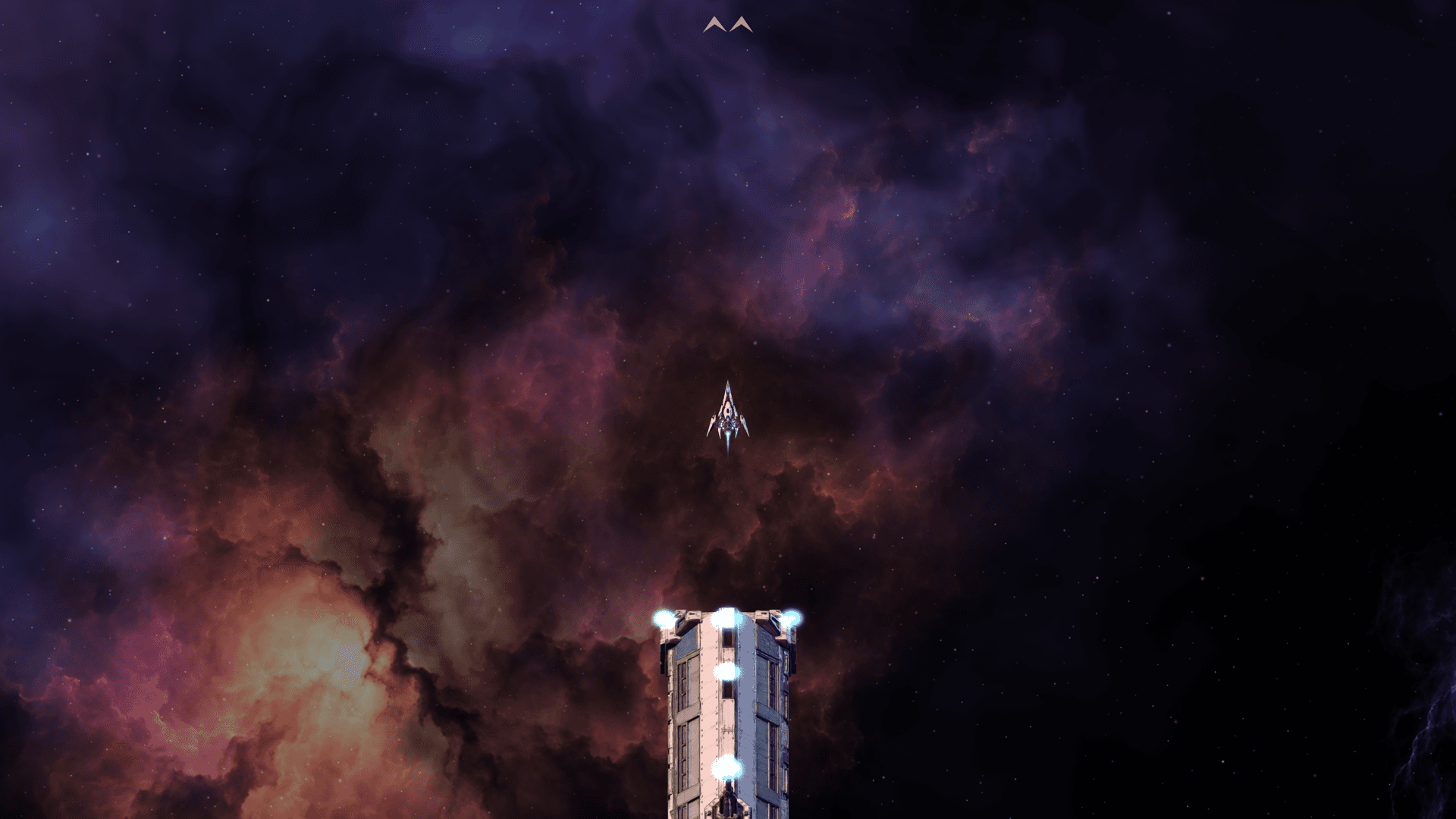
Capture · running game
Departure: the Needle leaves the Hearth for the open map. It docks here again to refit, learn or change ships.
The world is built, but its numbers are not settled: combat values and the campaign’s costs and timers are prototype baselines, and flight misses its 60 fps budget on an iPhone 14 Pro.
Releasing it free in the browser puts those baselines in front of players. Settling them is the next work, alongside the ambience and backdrops the southern arm still borrows from the north.
Release scope
The full map, both factions, the campaign and the Vigil are playable without an account; signing in with an email saves the captain and posts scores. Values remain prototype baselines, and some ships and bosses stay sealed on the public site until they are found in play.
Visual language
The opening ship image is a concept illustration. The combat, station and departure panels below are captures of the game’s production build, staged by its own capture harness.